Bring the codes forward
Use the encounter’s codes as the starting point for claim preparation.
Take codes from AI Live Scribe through claim scrubbing, reimbursement, and patient balance collection. AI flags and helps fix missing information before submission—reducing rework and keeping revenue moving.
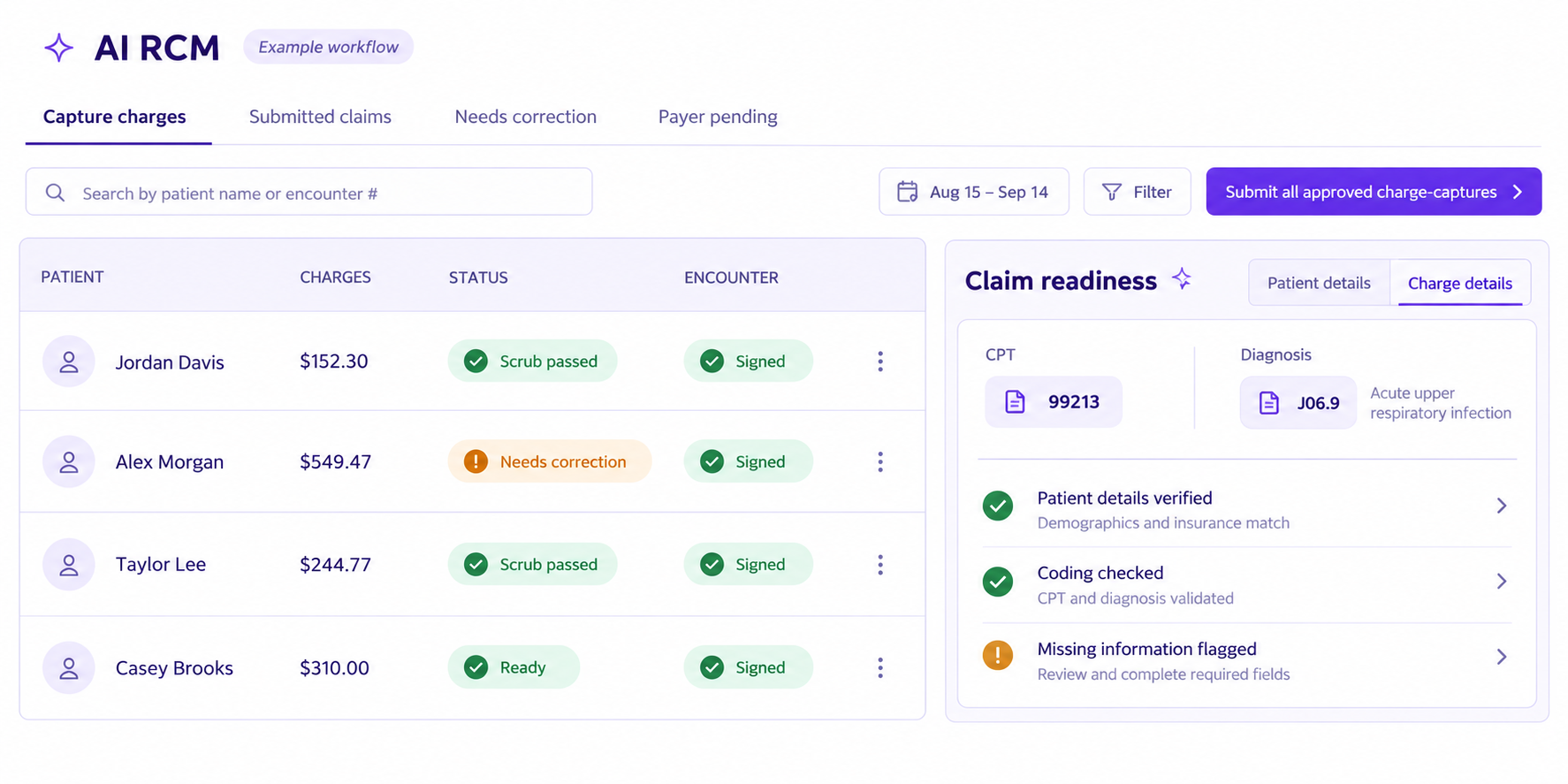
AI RCM takes the CPT and diagnosis codes captured in AI Live Scribe and carries them into the claims workflow, reducing manual handoffs between clinical and billing teams.
Use the encounter’s codes as the starting point for claim preparation.
Scrub claims ahead of submission to identify missing information and issues that need correction.
Address issues early to help reduce back-and-forth with payers.
AI automation flags and helps fix missing claim information ahead of time, so your team spends less time revisiting the same claim.
Identify incomplete information before submission to help reduce avoidable claim denials.
Keep encounter codes and supporting information connected to help reduce downcoding and support appropriate reimbursement.
Reduce correction cycles and payer back-and-forth so claims can move toward payment sooner.
Bring remittance information, claim matching, and review status into one view. AI RCM automates attributing the balance due to the patient and moves it into the collection workflow.
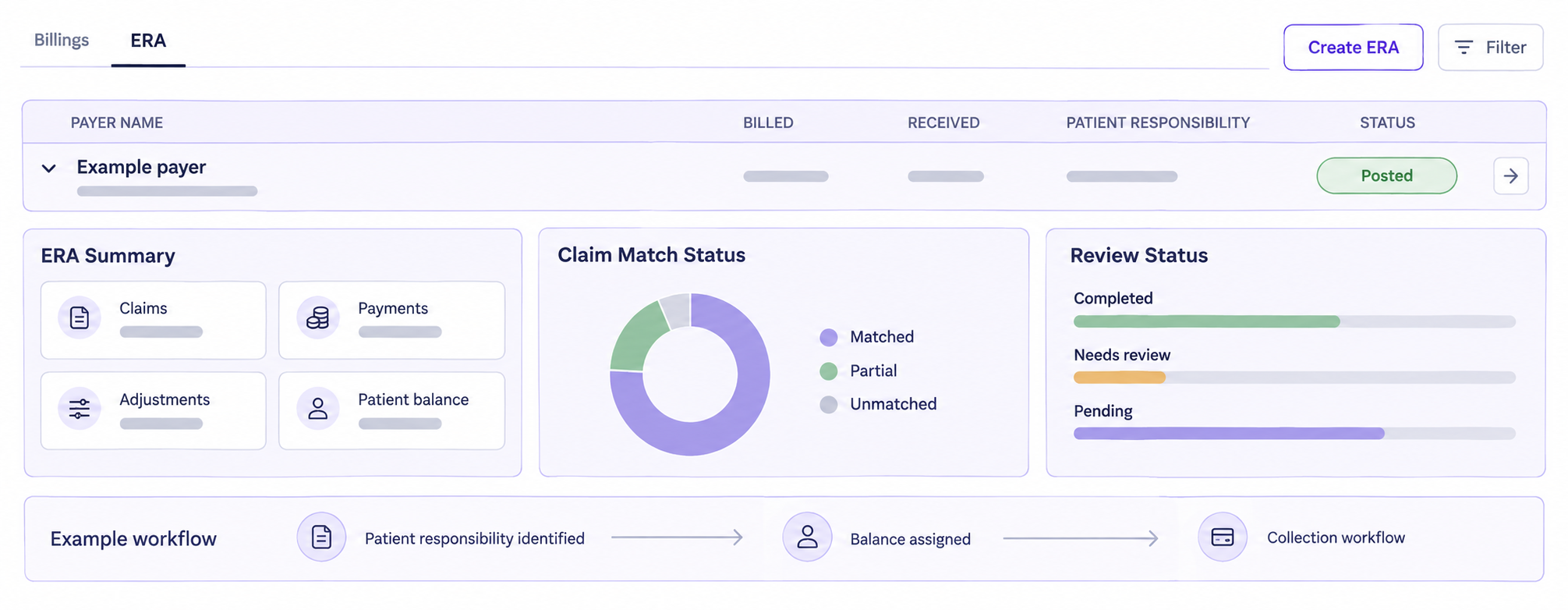
Determine the balance attributed to the patient from the reimbursement workflow.
Automate attributing the amount due to the patient, reducing manual balance handling.
Move the patient balance into the collection process so outstanding amounts can be followed through.
Explore your revenue cycle workflow with the Alethian team.
Book a demo ↗